
Working Together in StoryBoom: A 54-Second Storyboard Collaboration Demo
March 1, 2026
March 1, 2026
Back in November, I shared that the next StoryBoom tutorial would focus on collaboration. That video is now live.
In just 54 seconds, it demonstrates how StoryBoom keeps teamwork inside the storyboard — not scattered across emails and PDFs.
With over 10,000 views already, it reinforces a simple idea: storyboarding works best when teams build the story together.
This isn’t just about adding features. It’s about designing flow.
StoryBoom was built from day one as a storyboard collaboration tool — collaborative storyboarding software created specifically for team workflow.
Most storyboard collaboration tools break down the moment multiple people join the process.
Feedback moves outside the storyboard.
Notes get emailed.
PDFs circulate.
Versions multiply.
Suddenly, the team’s storyboard workflow fractures.
The issue isn’t a lack of communication — it’s communication in the wrong place.
When feedback lives outside the story, creative momentum stalls.
That’s exactly what StoryBoom was built to fix.
StoryBoom keeps everything inside the storyboard itself.
You invite collaborators directly into the storyboard.
You assign roles, notifications keep everyone aligned.
Discussion happens on each scene — not somewhere else.
As collaborative storyboarding software, the goal isn’t to add complexity. It’s to remove friction.
When someone leaves feedback, it’s attached to the frame.
When changes are made, everyone sees them instantly.
When direction shifts, the structure remains clear.
The tool stays minimal — so the story stays central.
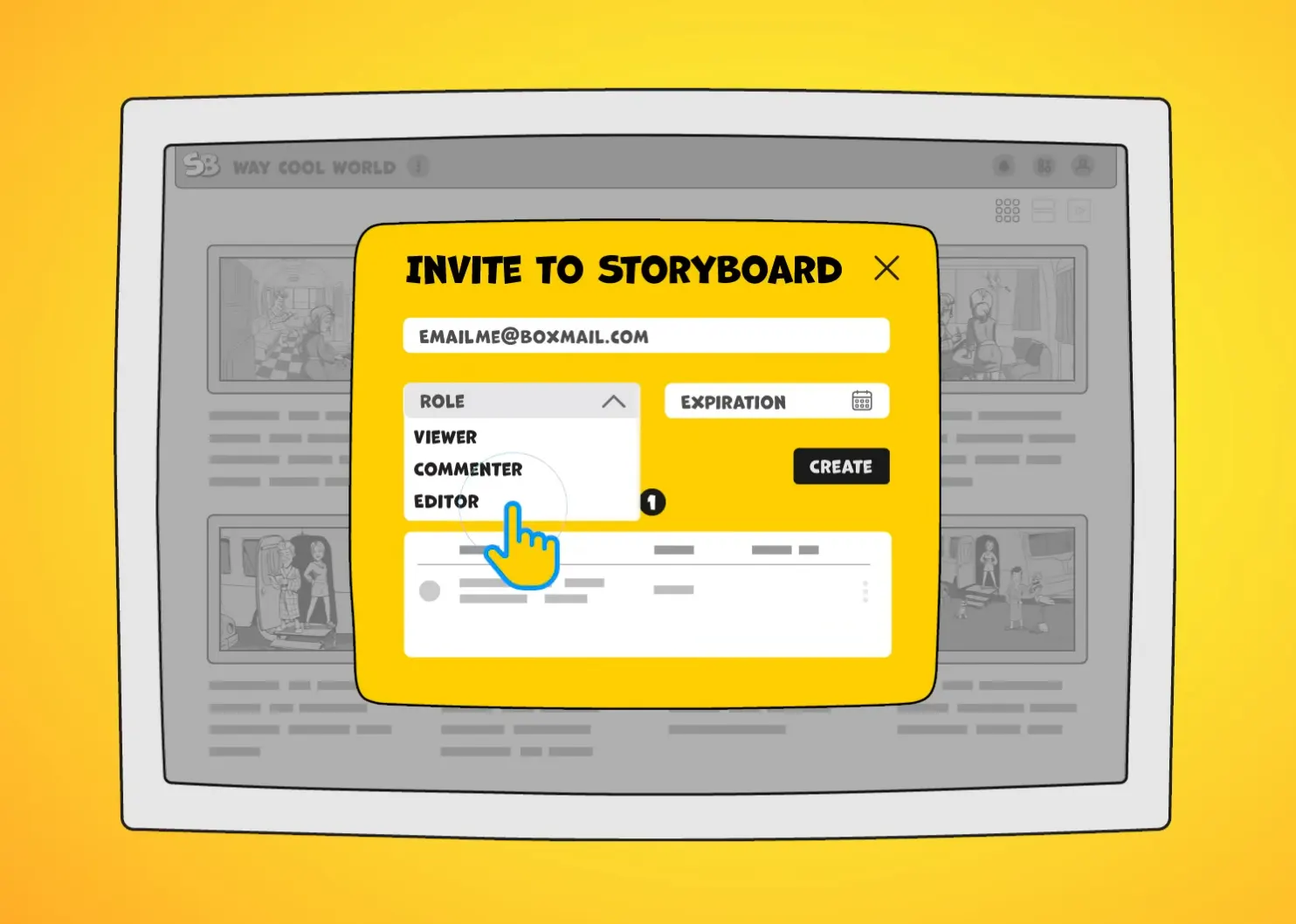
Invite to Storyboard; invite collaborators, assign access levels.
In the 54-second demo, I walk through the key parts of StoryBoom’s online storyboard collaboration:
Inviting collaborators takes seconds.
Assigning roles creates clarity.
Online storyboard comments stay connected to each scene.
Director Tools help guide pacing and structure.
But here’s something interesting.
The real app works extremely smoothly. Transitions are fast. Everything responds naturally. It’s quiet in the best way.
And that’s exactly why I didn’t simply record the screen. Instead, I illustrated the interface. Hand-drawn lines, slight imperfections, exaggerated elements to guide attention. Animated actions gave the interface a lively, dynamic feel.
When a panel opens, it has personality.
When a button activates, it feels intentional.
When comments appear, they carry energy.
The result doesn’t feel like a standard software demo.
It feels like creative momentum compressed into 54 seconds.
Fast pacing. Funky music. Clear narration. Supporting audio effects.
No wasted time — but no loss of clarity either.
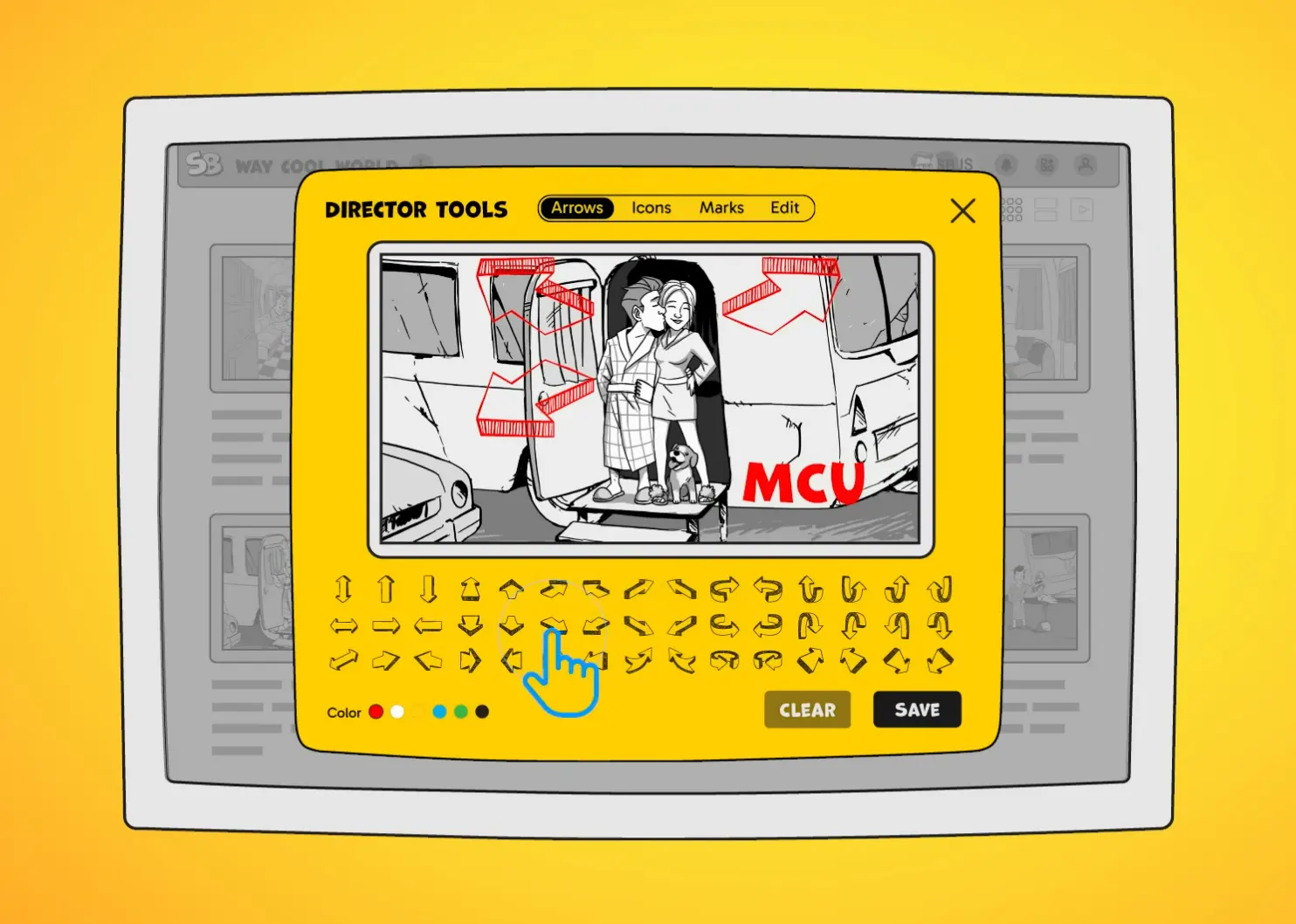
Video capture — behind the scenes, “Director Tools.”
Consistency matters.
All StoryBoom tutorials follow the same model:
This builds recognition.
When someone watches one StoryBoom storyboard software demo, the next one feels familiar immediately. That familiarity builds trust.
If the product is minimal and focused, the tutorials should reflect that same discipline. Even the repetition in the video is intentional.
Repetition builds confidence.
Predictability builds trust.
Simplicity builds speed.
A storyboard software for teams should feel effortless — and the tutorial experience should reflect that.
While illustrating the “Invite Collaborator” pop-up, I noticed something important.
As StoryBoom’s designer, the window feels instinctive to me. A first-time user won’t see it that way.
Currently, the pop-up combines two things:
1. Inviting a new collaborator
2. Showing existing team members (initially just the account owner)
It’s logical. It’s efficient. It centralizes management.
But it may introduce too much information at once.
So I added a refinement to the roadmap.
The team-management section will stay hidden at first, appearing only when it’s actually needed. That creates a cleaner entry point, a more focused first action, and less cognitive load.
Building collaborative storyboarding software means constantly stepping back and viewing your own product through fresh eyes. That’s how simplicity evolves.
This tutorial itself was built on a storyboard.
Even though it was a focused night production session, everything followed a structure. The storyboard guided animation timing, narration pacing, sound design, and transitions.
If you look at the Premiere Pro timeline, you’ll see multiple layers:
Visual animation.
Music.
Sound effects.
AI-generated narration.
All aligned to the storyboard structure.
That’s the deeper message here.
A storyboard isn’t just planning.
It’s execution clarity.
When teams use a structured storyboard collaboration tool, production becomes faster, cleaner, and more aligned from start to finish.
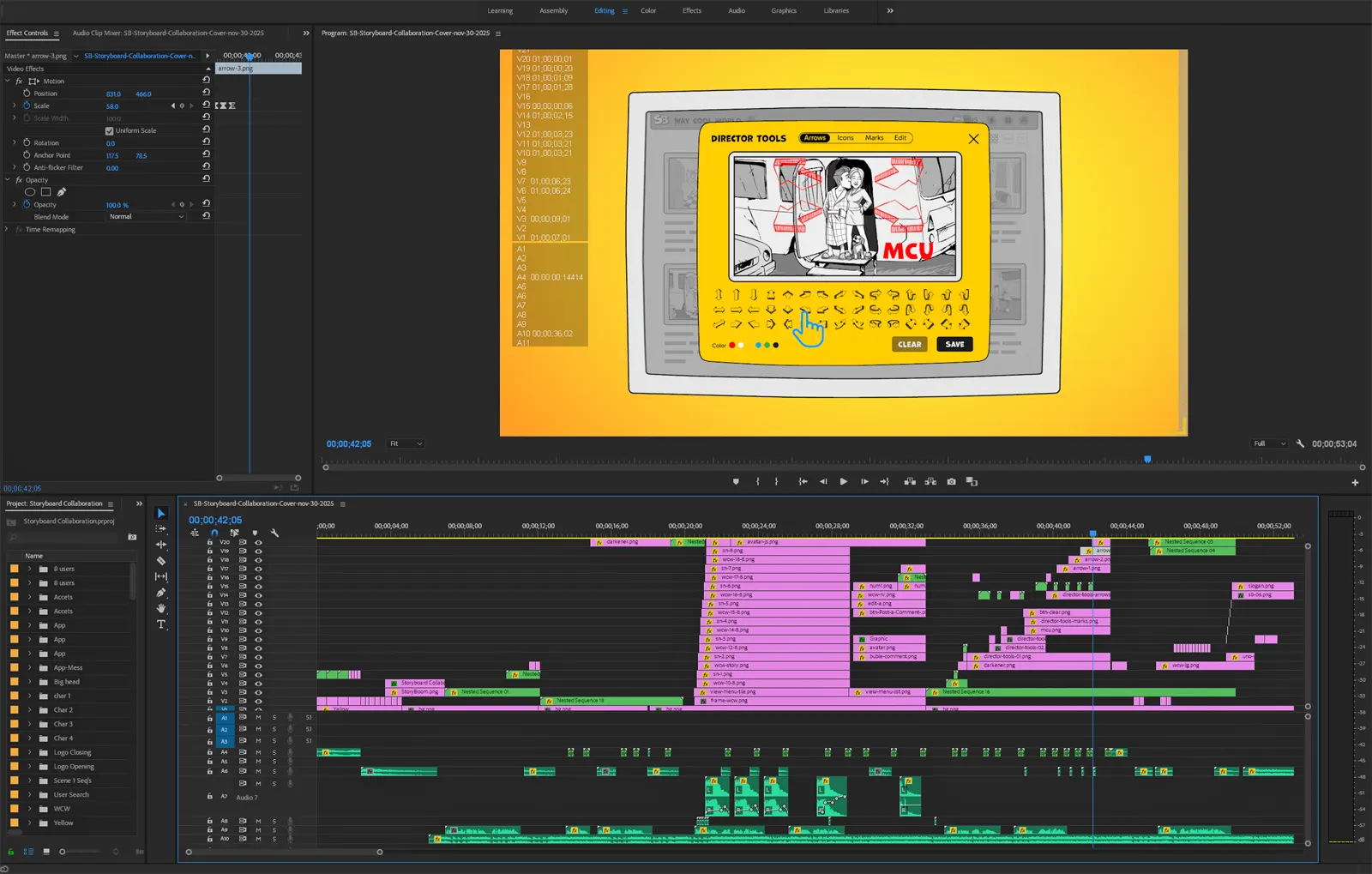
Adobe Premiere Pro video capture — behind the scenes of “Storyboard Collaboration” (00:53.04)
All narration in the video was generated using OpenAI Speech.
It allowed me to design each phrase exactly how I wanted — speed, tone, rhythm — without multiple recording sessions. It accelerated the entire process.
I also rely heavily on ChatGPT during development and content creation. It helps refine structure, clarify ideas, and strengthen messaging.
The future of collaborative storyboarding isn’t human versus AI.
It’s human creativity amplified by intelligent tools.
StoryBoom lives in that intersection — a minimalist, professional storyboard collaboration tool built to help teams create faster without sacrificing clarity.
When collaboration works, ideas sharpen.
When feedback is contextual, stories improve faster.
When the tool stays out of the way, creativity expands.
If you’re looking for storyboard software for teams that keeps communication inside the story instead of outside it, this 54-second demo shows exactly how it works.
Watch it.
Feel the pace.
Build your next story together.
Start your storyboard online with StoryBoom — and turn collaboration into creative momentum.

Stay connected—follow StoryBoom on X or LinkedIn
Back to Blog